
Build a quote
- 1Click Quote in the toolbar.
- 2Check the lines: furniture by room, flooring, wall finishes (both faces), doors, windows and lights, with quantities measured from the plan.
- 3Click a quantity or unit price to edit it; line totals and the grand total update instantly.
- 4Enter the Design/install fee, Discount and VAT as percentages, and add notes for the client (terms, schedule…).
- 5Export the quote to CSV or PDF.
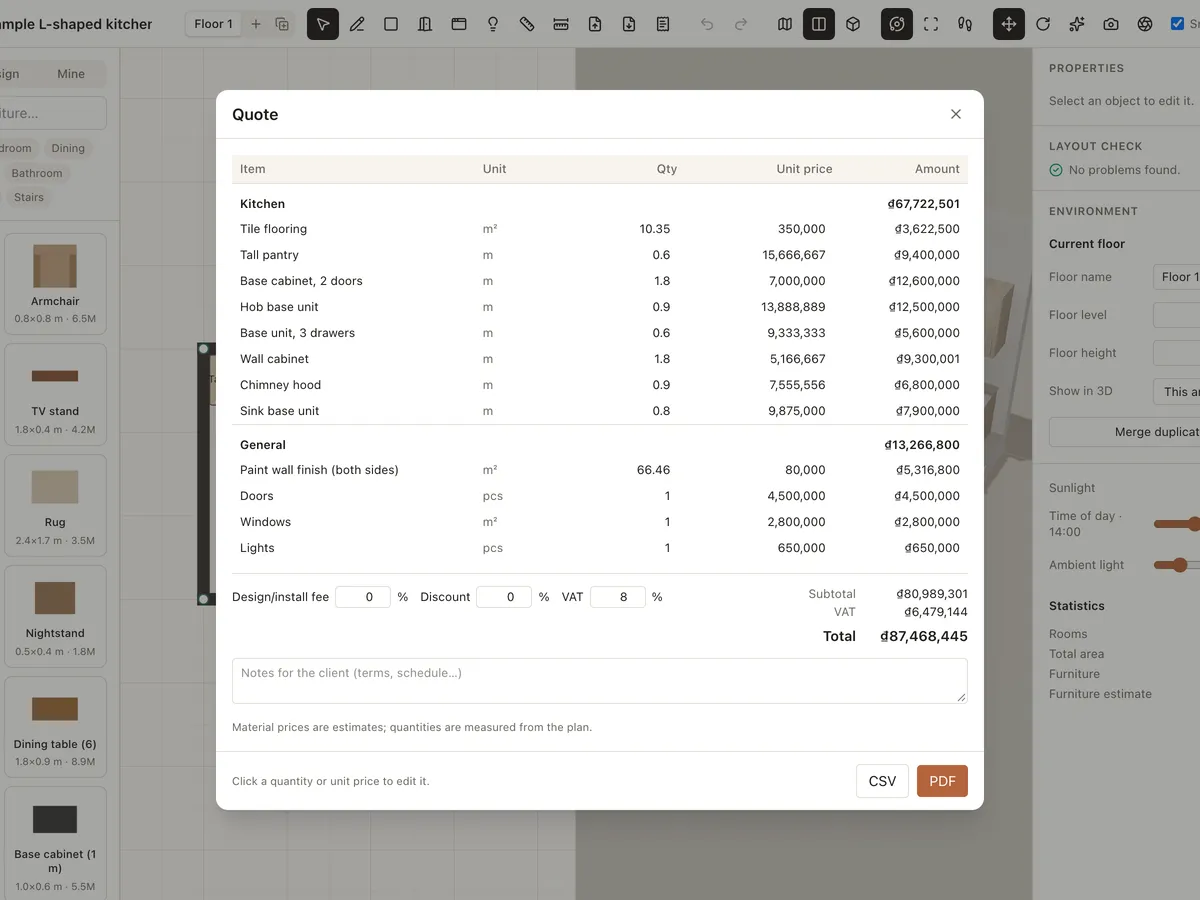
Default unit prices are rough references; replace them with your suppliers' prices.
Export the plan
- 1Click Export plan (PDF/PNG) in the toolbar.
- 2Choose PDF, PNG or SVG, the floors to export, A4 or A3, landscape or portrait, and a scale (or fit to page).
- 3Fill in Drawn by and tick Add a 3D view page if you like.
- 4Choose what to show: furniture, furniture names, wall dimensions and pinned dimensions. Click Download.
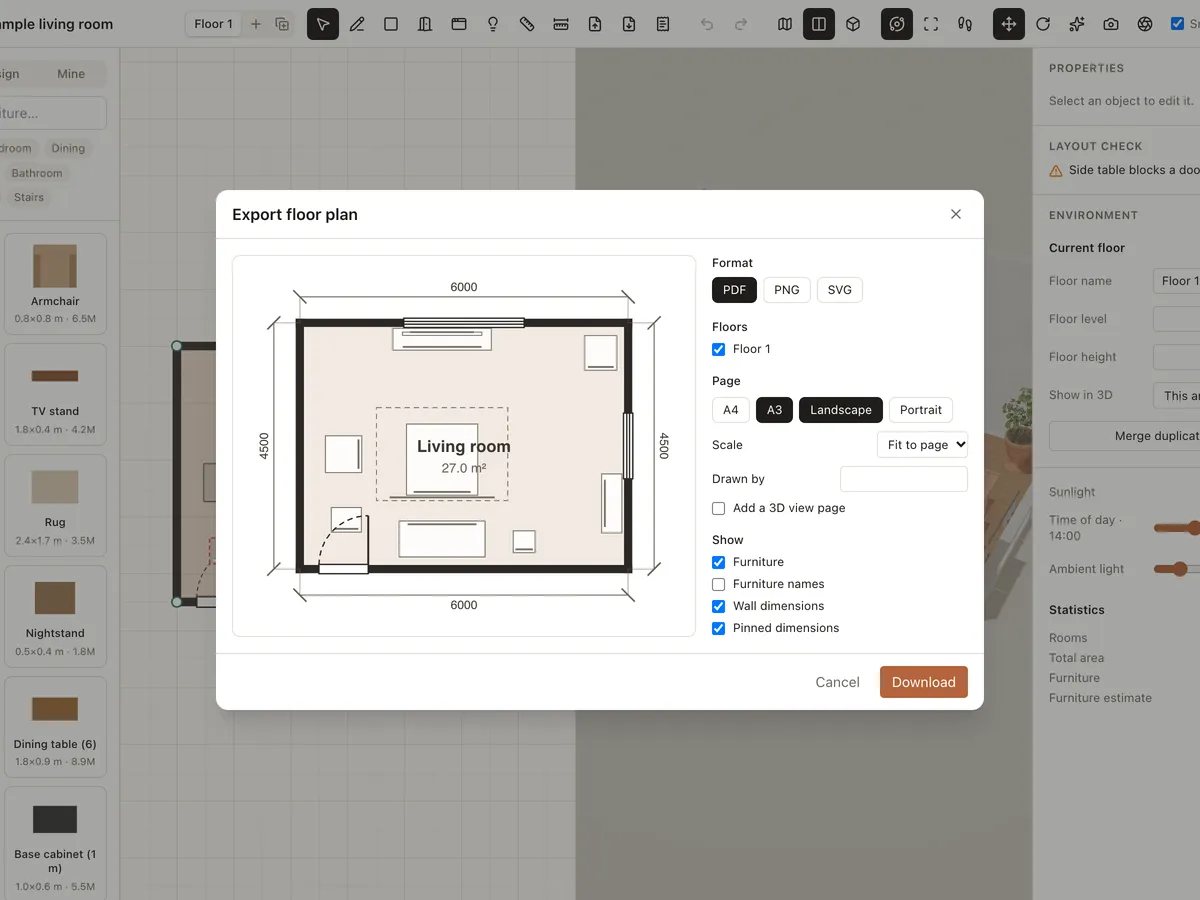
If the plan doesn't fit the page at the chosen scale, Roomcraft picks a smaller one automatically.