
Import your own 3D models into the library
Got a sofa, lamp or cabinet model from a manufacturer, or one you built in SketchUp, Blender or 3ds Max? Export it as GLB or GLTF and drop it into Roomcraft. It's optimised automatically; you set the units, orientation and real size, add the details and use it in every project.
- GLB or GLTF
- Auto-optimised, up to 50 MB
- Floor, wall or ceiling
- Private or public
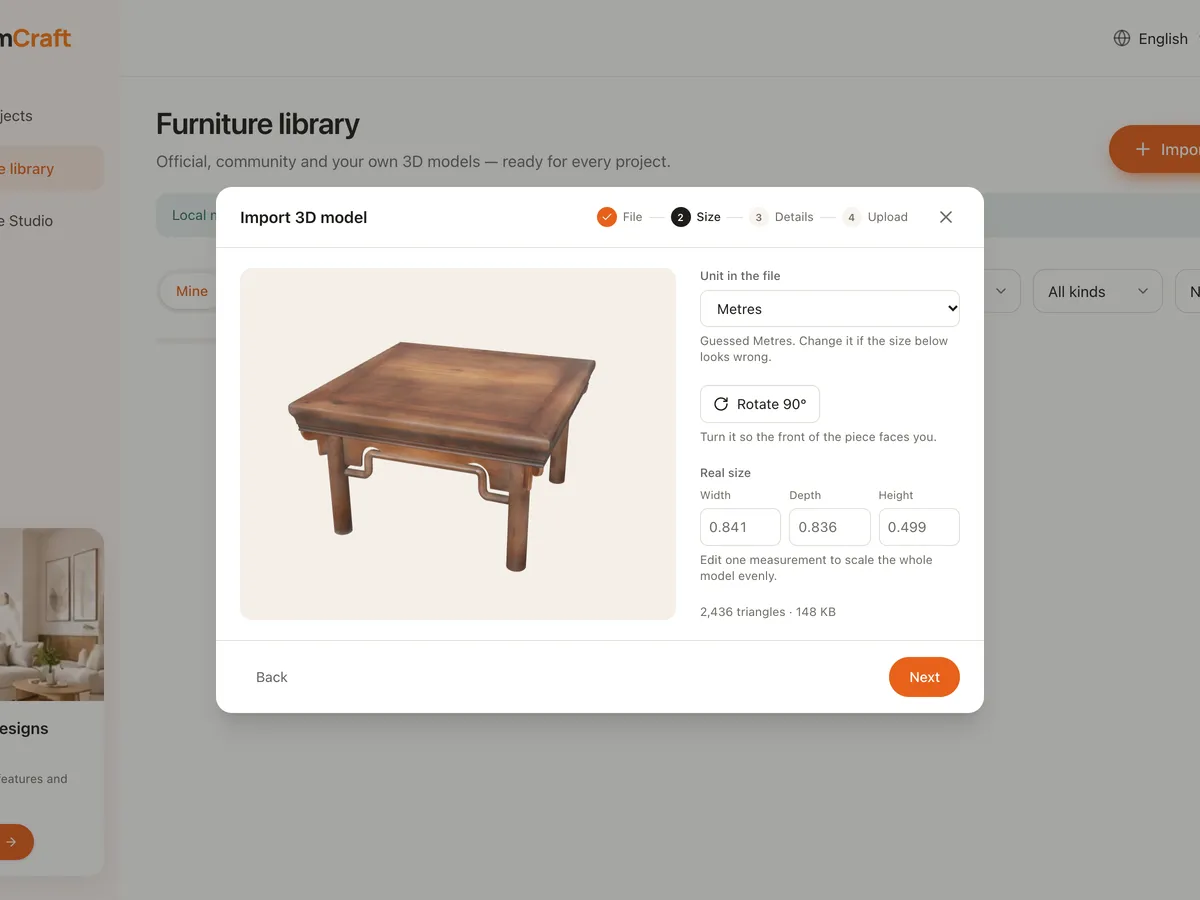
What model import does
GLB and GLTF
Drop a .glb file, or pick a whole GLTF folder with its .bin and textures. Draco-compressed models work too.
Automatic optimisation
Files up to 200 MB before optimising; Roomcraft compresses them to under 50 MB so they run smoothly in the browser.
Real size
Roomcraft guesses the file's unit (m, cm, mm, inches); change one measurement to scale the whole model, and rotate 90° so the front faces you.
Early warnings
Flags models with too many triangles or oversized textures that would slow projects down.
Placement
Choose floor-standing, wall-mounted or hanging from the ceiling, with height above the floor, so it lands in the right spot.
Reviewed sharing
Keep it private, or make it public for the community after Roomcraft's review, under a CC0, CC BY or Standard licence.
Import a model in 3 steps
- 1
Pick the file
Open the Library, click Import model and drop a GLB file or GLTF folder.
- 2
Set the size
Check the unit, rotate it the right way round and enter the real size.
- 3
Add details
Give it a name, category, keywords, placement and who can use it, then add it to your library.
Frequently asked questions
I have a SketchUp (.skp) or FBX model. Can I import it?
Roomcraft accepts GLB and GLTF. Export your model to one of them from SketchUp, Blender or 3ds Max, then import it.
How much can my library hold?
Each account has 500 MB of library storage. You can remove models you no longer need; projects already using them keep showing them.
Can I update a model after importing it?
Yes. Edit its details or upload a new version. Public models go back to review, and the community keeps seeing the previously approved version meanwhile.
Explore more
See all features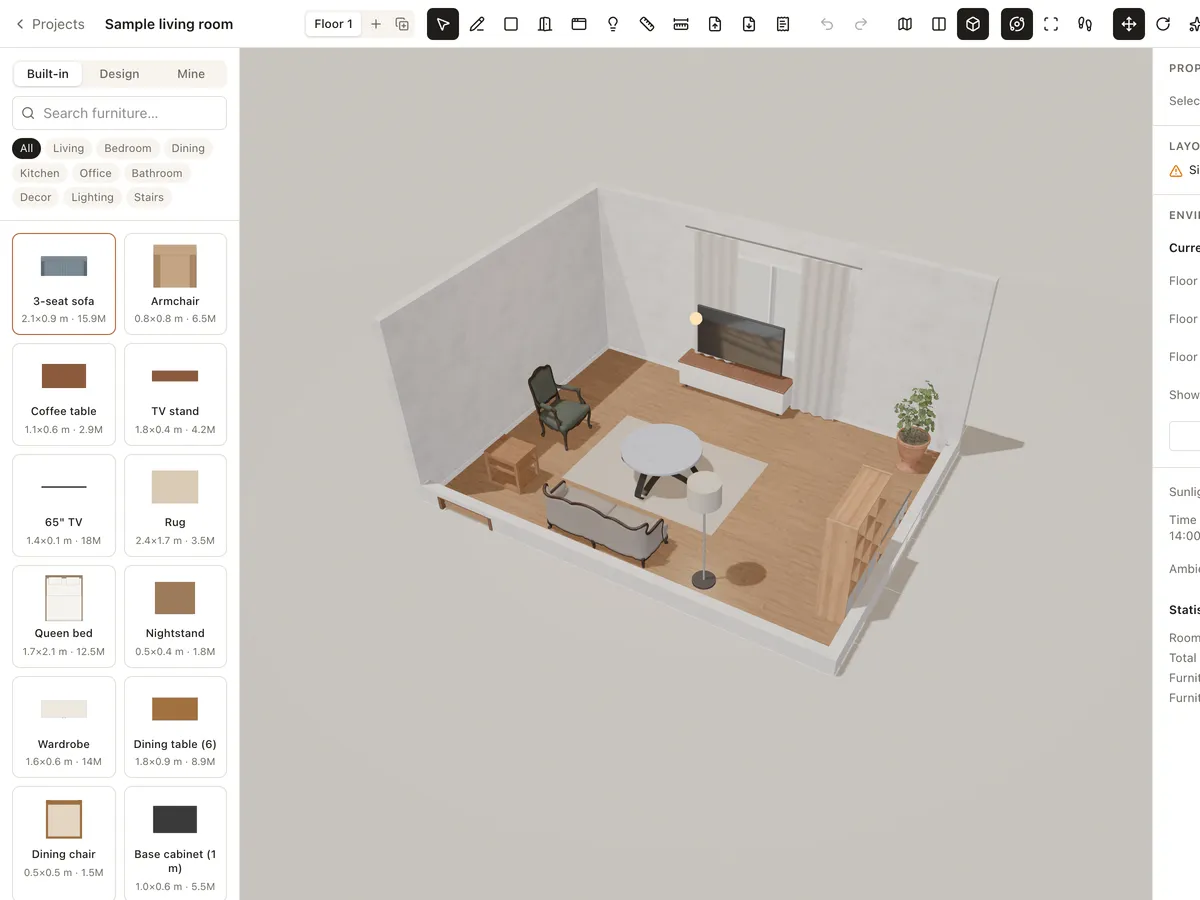
3D furniture library
Drag real-size 3D sofas, beds, dining tables, kitchen units, lights and decor into your room. Import your own GLB/GLTF models or use models shared by the Roomcraft community.
Learn more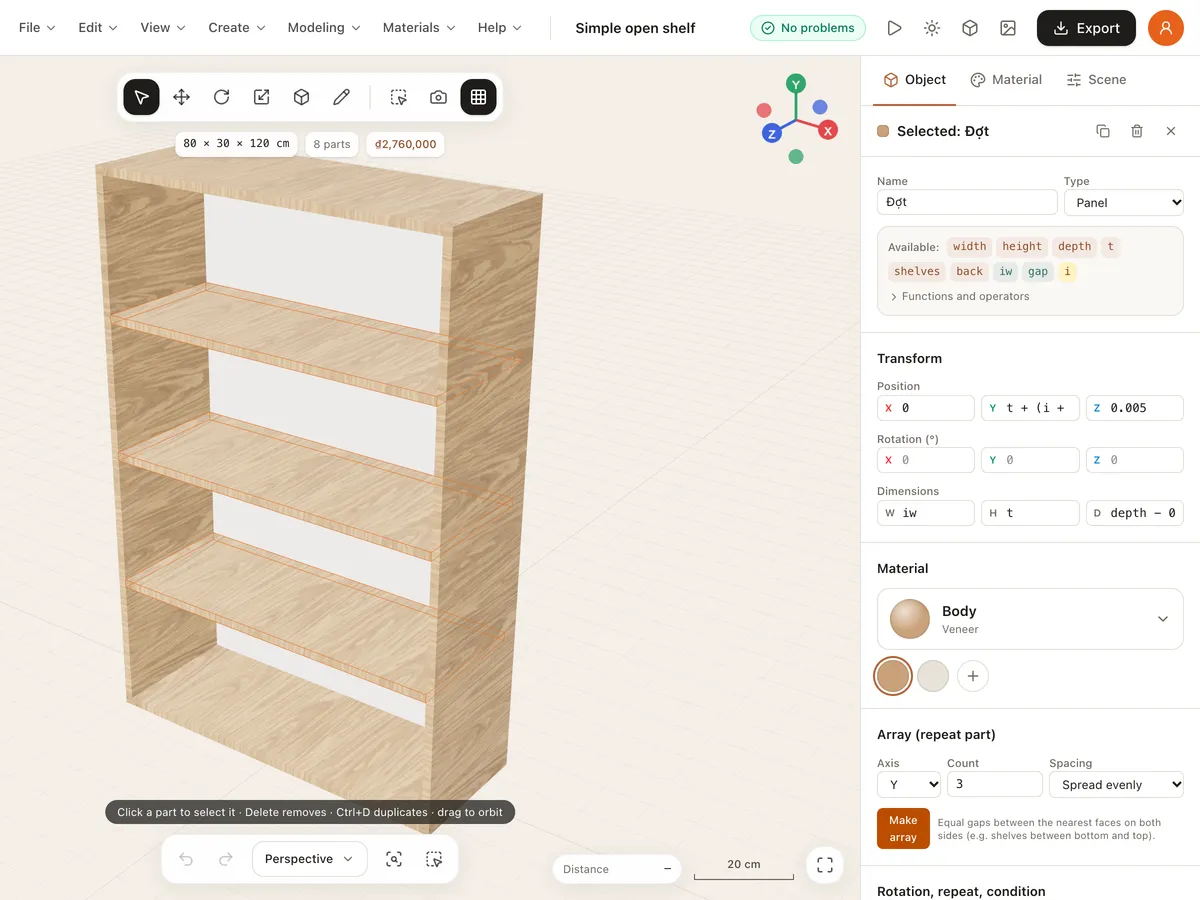
Template Studio
Create parametric furniture templates in Template Studio: declare parameters, variables, materials and every part as an expression, preview it live in 3D, and save it to your library.
Learn more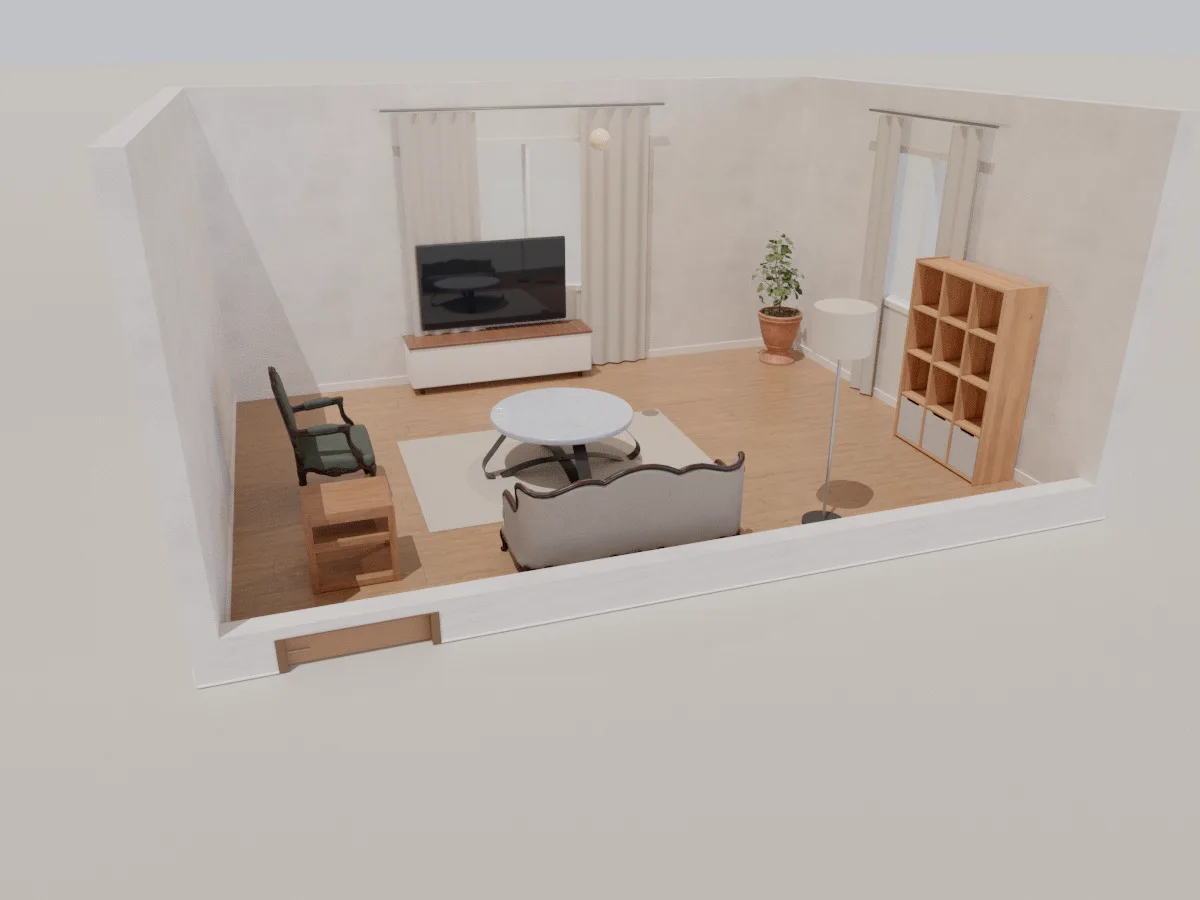
Living room
A ready-made 6 × 4.5 m 3D living room with sofa, coffee table, TV unit, shelving and lighting. Open it in your browser, rearrange it, change materials and walk through it with Roomcraft.
Learn moreReady to design your home?
Free, right in your browser, nothing to install.