
Template Studio: build your own parametric furniture
Turn your workshop's cabinet, shelf or table into a reusable parametric template. Declare what users can change, like width or shelf count, describe each board with expressions over those parameters, and watch the piece rebuild in the 3D preview. Save it to your library and it appears in the editor's Design tab, with a cut list and pricing.
- Parameters and variables
- Parts as expressions
- Live 3D preview
- JSON import/export
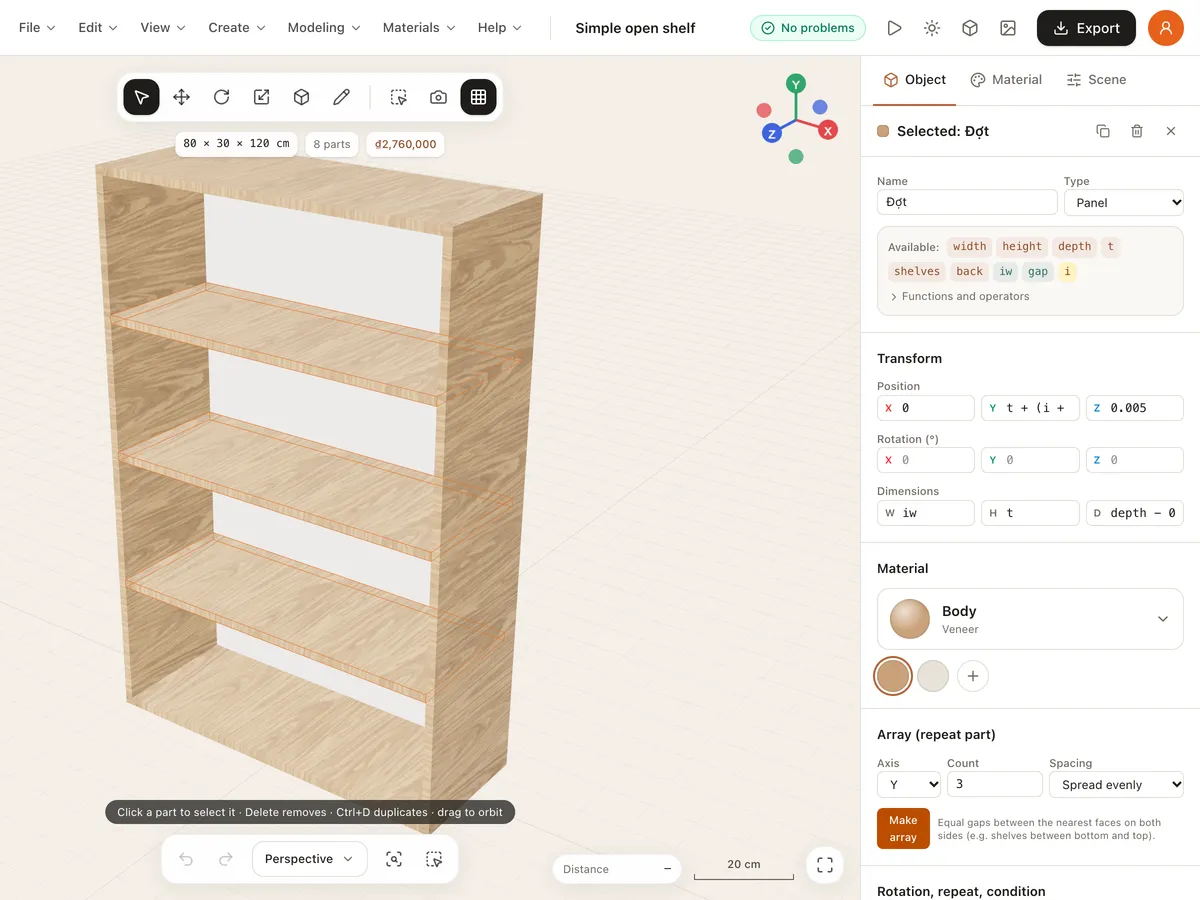
What's in Template Studio
Parameters
Numbers, choices or switches, with defaults, min and max, units, groups and “visible if” conditions.
Variables
Keep repeated maths in one place, like a cabinet's inner width iw = width − 2*t.
Parts as expressions
Panels, blocks, cylinders, handles and knobs: size, position and rotation as expressions with + − × ÷, min, max, round, clamp and a ? b : c.
Repeats and conditions
Repeat a part per shelf or door, and only build parts when a condition holds, like doors when they're switched on.
Direct 3D modelling
Select, move, push/pull faces, draw panels, measure, rotate, scale, paint materials and make arrays right in the preview.
Checks and sharing
Expression errors are listed and jump to the right field; import or export templates as JSON and save them to your library.
Build a template in 3 steps
- 1
Start from the example
Open Template Studio and pick the example or a blank template.
- 2
Declare and build
Add parameters, variables and materials, then add parts with expressions or the 3D tools.
- 3
Try it and save
Try different parameter values in the preview, fix any problems, then save it to your library.
Frequently asked questions
Do I need to know how to code?
No. Expressions are plain arithmetic like width - 2*t. You can also build parts directly with the mouse in the 3D view, starting from the example template.
Where can I use my templates?
Once saved to your library, they appear in the editor's Design tab. Drag one into a room, adjust its parameters, and get its cut list and price like the built-in templates.
Is Template Studio free?
Yes. You need to sign in to use it, since templates are saved to the library in your account.
Explore more
See all features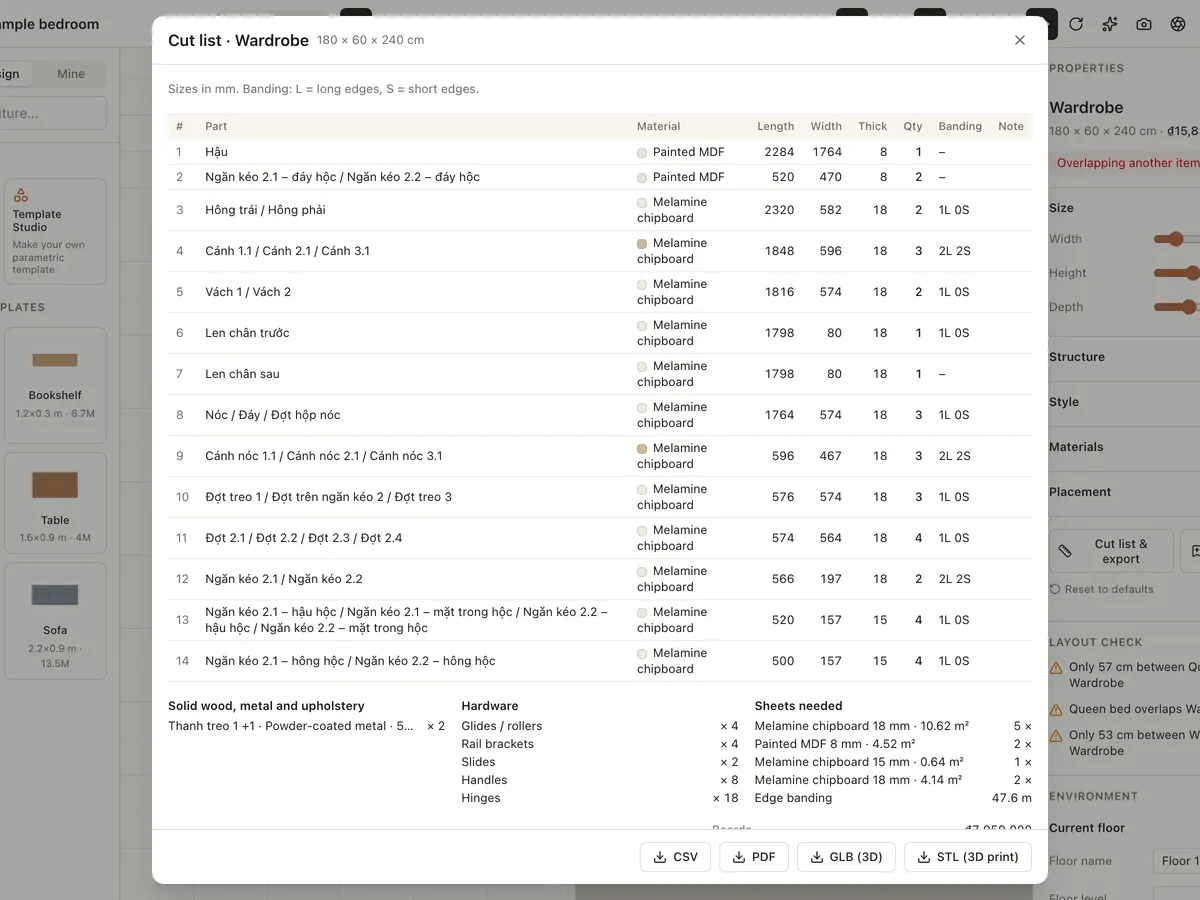
Custom furniture & cut lists
Design made-to-measure wardrobes, cabinets, bookshelves, beds, tables, chairs and sofas from parametric templates. Choose melamine, MDF, plywood, veneer or solid wood and export a CSV/PDF cut list.
Learn more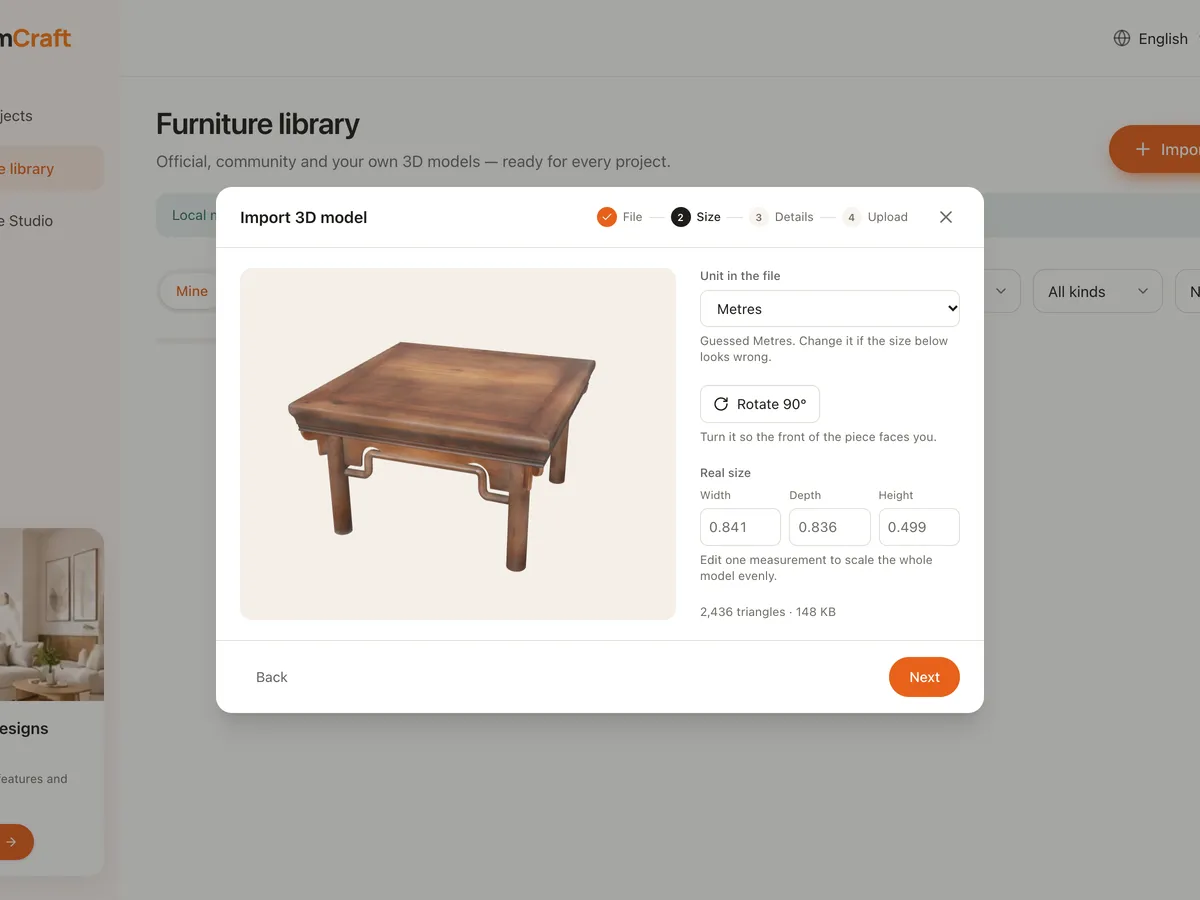
Import 3D models
Bring your own GLB or GLTF furniture models into the Roomcraft library: optimised automatically, scaled to real size, placed on floor, wall or ceiling, private or shared.
Learn more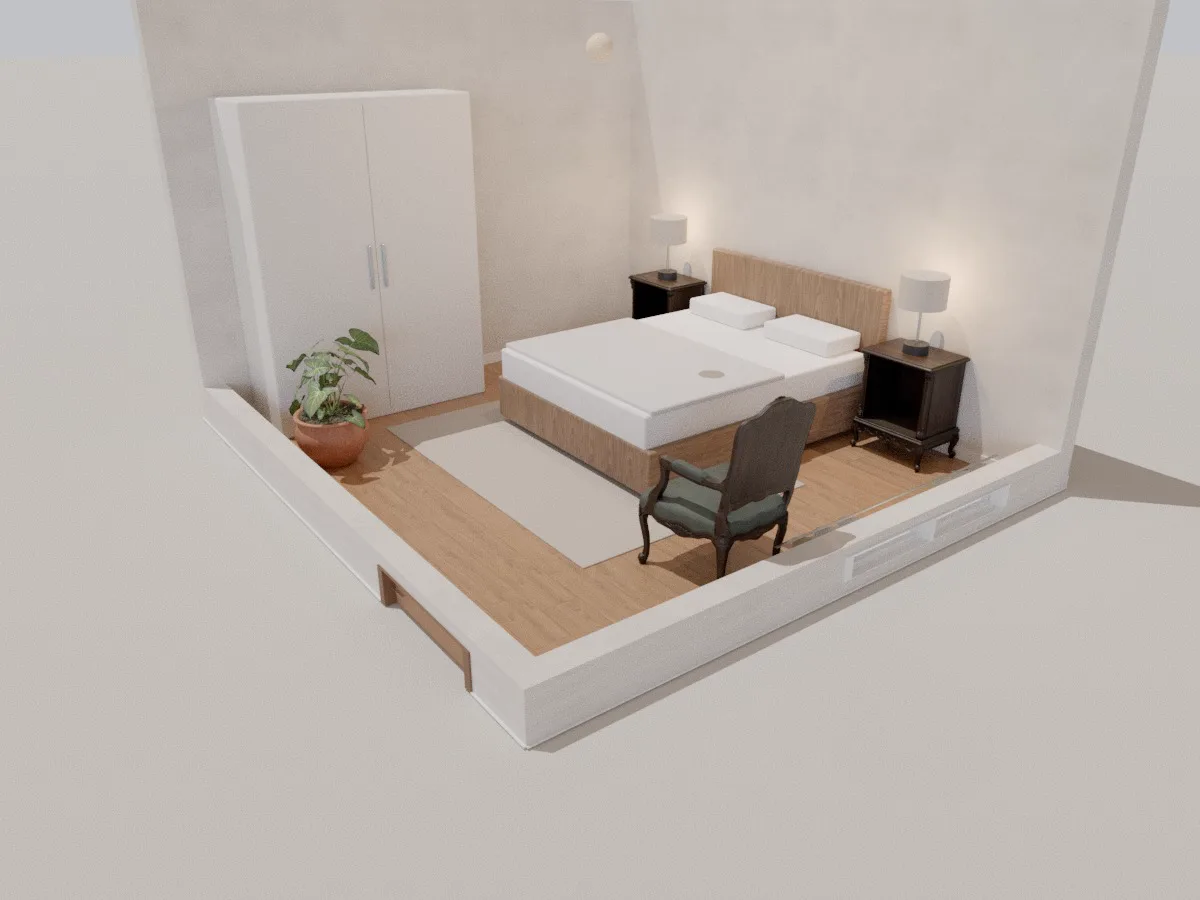
Bedroom
A 4.2 × 3.8 m 3D bedroom with a double bed, two nightstands, bedside lamps, wardrobe and reading chair. Open it in your browser, rearrange it and see your bedroom in 3D.
Learn moreReady to design your home?
Free, right in your browser, nothing to install.